Tamil Keyboard on Linux: IBus and Fcitx 5 Setup
தமிழ் தட்டச்சு
Choose your Tamil method, install its input engine, and add it to your desktop’s input sources.
Short answer
On Ubuntu with GNOME, install ibus-m17n, sign out and back in, then add a Tamil source in Settings > Keyboard > Input Sources. GNOME switches with Super + Space. Fcitx 5 users need the fcitx5-m17n engine instead.
Choose a Layout and an Input Framework
Linux setup depends on your desktop and distribution. GNOME’s input-source picker handles keyboard layouts and installed IBus engines. KDE and other desktops can use Fcitx 5. The m17n database supplies Tamil methods to both IBus and Fcitx 5 through their respective m17n engines.
Start with Tamil99 if you learned that layout, InScript if you know its fixed keys, or phonetic or ITRANS if you want English-letter input. These last two use different rules; neither should be treated as a universal Tanglish dictionary.
| m17n Method | Choose It For |
|---|---|
ta-tamil99 | Tamil99 key positions. |
ta-inscript | The InScript layout. |
ta-phonetic | Phonetic English-key input. |
ta-itrans | ITRANS transliteration conventions. |
The current m17n package also includes ta-inscript2, ta-lk-renganathan, ta-remington, ta-typewriter and ta-vutam. Availability and displayed names depend on the installed database version. A plain Tamil hardware layout in the picker is separate from an m17n input method.
Set up IBus on Ubuntu With GNOME
- Install the m17n engine from your distribution’s repository. On Ubuntu, the package is
ibus-m17n:
Review the package-manager prompt before proceeding.sudo apt install ibus-m17n - Sign out and sign in again so the desktop can discover the installed input methods.
- Open Activities, search for Keyboard, and open Settings > Keyboard.
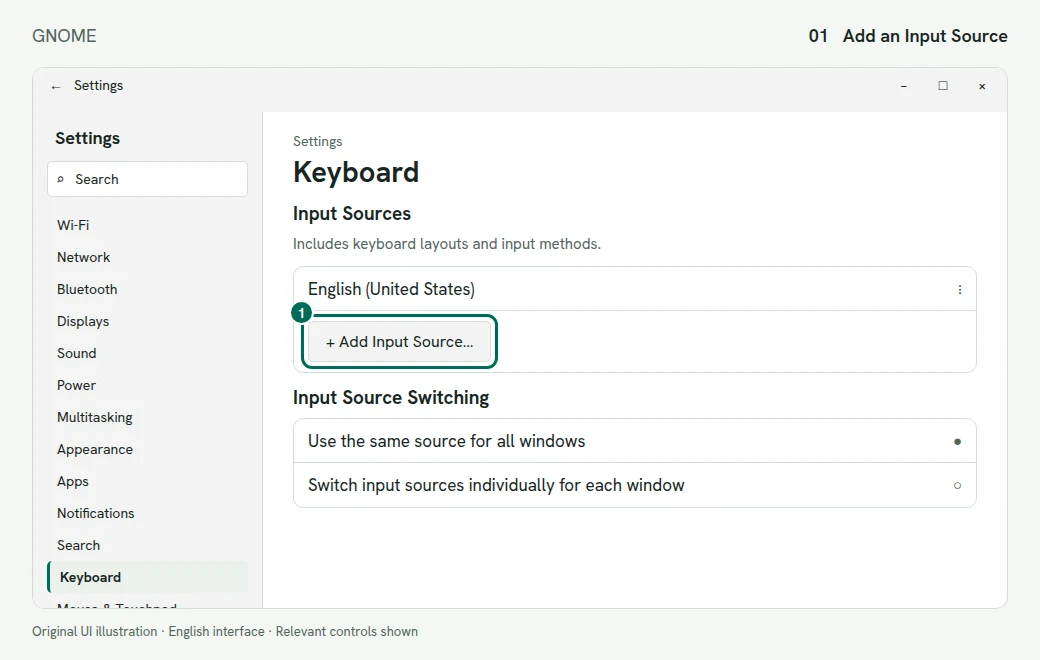
1. Add a source under Keyboard settings. Illustration of the GNOME screen - Under Input Sources, select + Add Input Source…, select or search for Tamil, select your chosen method, then press Add. The picker may label an m17n method with its short name and “m17n”.
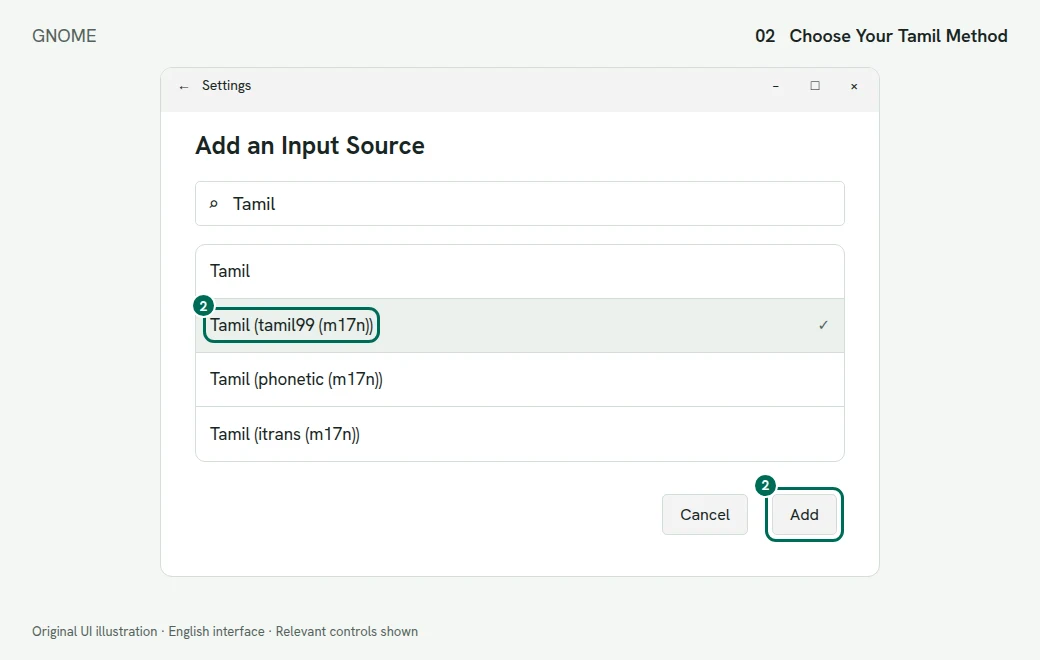
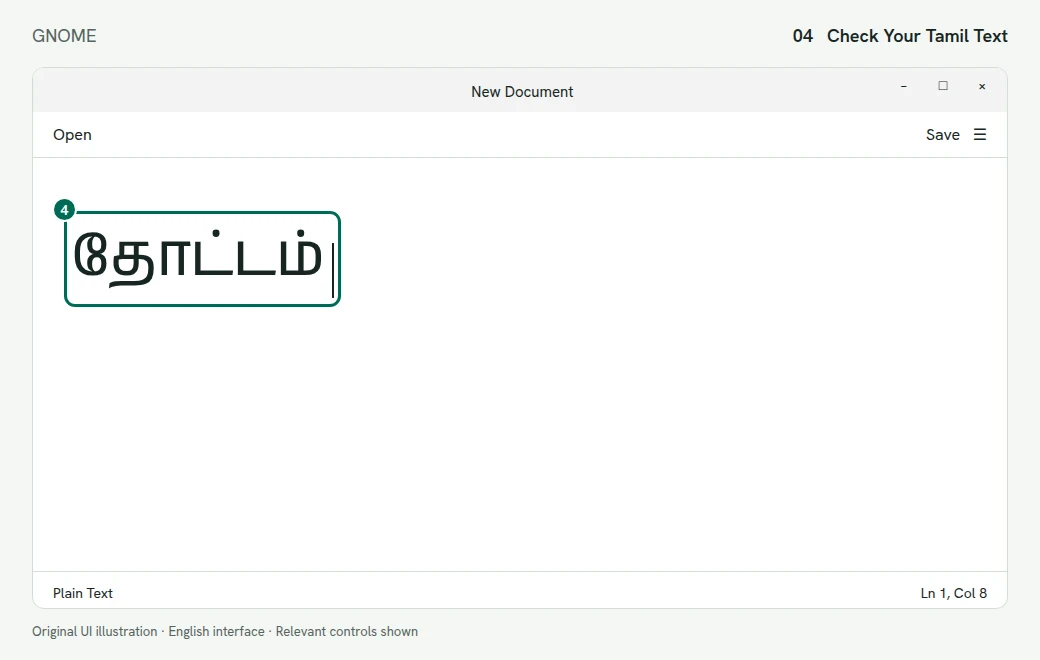
2. Select an installed Tamil input method and choose Add. Illustration of the GNOME screen - Select the source in the top-bar input menu. Test it in a text editor before starting your document.
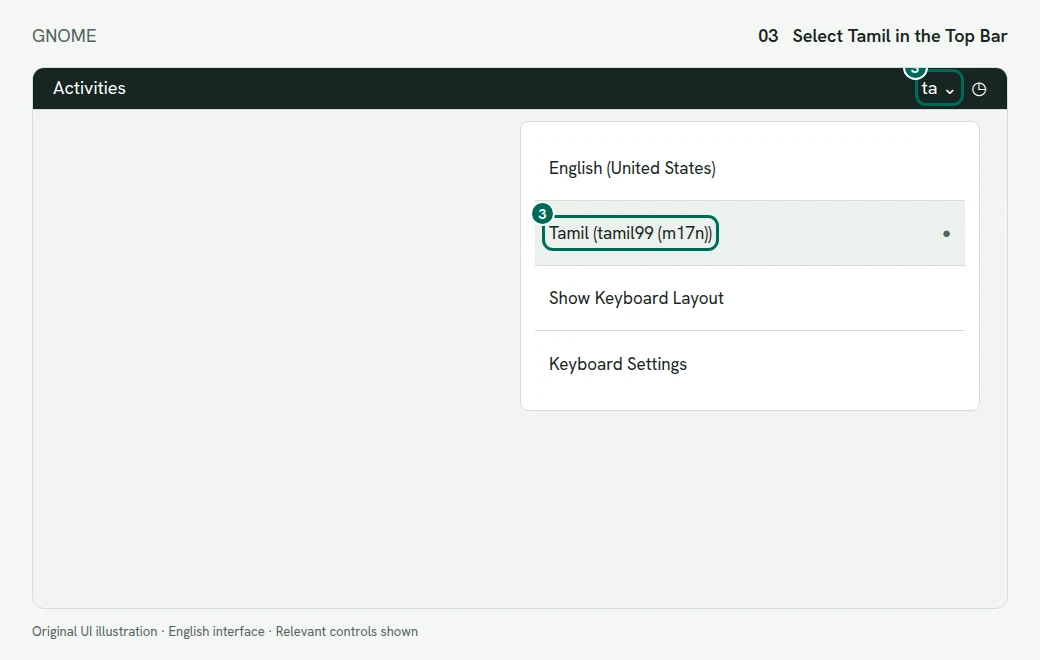
3. Choose Tamil in the top-bar input menu. Illustration of the GNOME screen
Switch Sources in GNOME
Use Super + Space for the next source and Shift + Super + Space for the previous one. Super is usually the Windows-logo key. Change these under Keyboard Shortcuts > View and Customize Shortcuts > Typing. The top-bar input menu also lets you choose a source directly.
Fedora and Other Distributions
Use your distribution’s package manager to install the IBus m17n engine and m17n database. Package names and desktop defaults can differ, so the Ubuntu apt command is not a Fedora command. On a GNOME desktop, follow the same input-source picker steps once the engine is installed.
Use Fcitx 5 Instead of IBus
- Install Fcitx 5, its configuration tool and the
fcitx5-m17nengine using your distribution’s packages. - Follow Fcitx’s distribution-specific setup instructions linked below. On Debian and Ubuntu, its documentation describes selecting fcitx5 through
im-config. Sign out and back in after changing the framework. - Open the Fcitx 5 configuration tool and add your Tamil m17n method. Include an English keyboard in the group so you can switch back.
- Review the configured trigger and input-method switching keys in Fcitx rather than assuming GNOME’s shortcuts control it.
Use one active input framework for the session. Do not launch a second framework as a quick fix for a missing method. Fcitx’s Wayland and environment setup varies by desktop; follow its official instructions for your session.
Fix Missing Tamil Methods
Only a Plain Tamil Keyboard Appears
Check that the m17n engine package is installed, then sign out and back in. If GNOME hides a rare variant, its documentation gives this setting to expose all sources:
gsettings set org.gnome.desktop.input-sources show-all-sources trueReopen the picker afterward. This reveals available sources; it does not install missing engines.
The Keys Do Not Match Your Chart
Check the method name. ta-inscript and ta-tamil99 use different positions. Open the source’s options and choose View Keyboard Layout for layouts that offer it. Practise with our Tamil99 and InScript tools, leaving the system source on English for online practice.
Phonetic Spelling Gives an Unexpected Result
Check whether you selected phonetic or ITRANS, then use that method’s help rather than guessing its spellings. If you need a browser-based English-letter alternative, use our online Tamil typing tool. Copy a short test into your destination app before writing more.